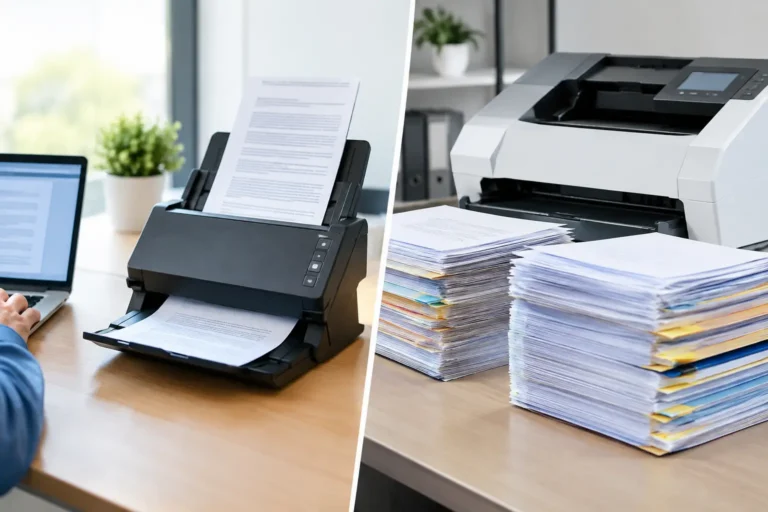
A records room can look manageable until an audit, claims review, customer request, or program launch requires immediate access to a document that exists only on paper. At that point, the choice between scanning versus bulk digitization becomes an operational decision, not simply an administrative task. The right approach affects retrieval speed, data compliance, staff workload, customer service, and the cost of maintaining physical records.
For Canadian organizations managing regulated data, high document volumes, or recurring customer communications, the question is rarely whether records should become digital. The real question is how much structure, processing, and integration the organization needs from the conversion process.
Scanning Versus Bulk Digitization: The Core Difference
Scanning is the act of converting a physical page or image into a digital file. A desktop scanner, multifunction printer, or production scanner captures the document and creates a PDF, TIFF, JPEG, or similar file. For a small number of documents, this may be all that is required.
Bulk digitization is a managed, high-volume process that goes beyond image capture. It typically includes document preparation, batching, barcode or separator-sheet handling, image quality control, indexing, metadata capture, optical character recognition, secure file delivery, and in some cases, integration with a document management system or customer workflow.
The distinction matters because a scanned file is not automatically useful. If staff cannot find it quickly, confirm that it is complete, connect it to the correct customer or case, or retain it according to policy, the business still carries much of the original operational burden.
A healthcare administrator may need records indexed by member ID, document type, date of service, and program. An insurer may require claims correspondence linked to policy number and retention category. A financial services team may need documents classified, quality checked, and delivered into a secure repository under defined access controls. These are bulk digitization requirements, even though scanning remains one step in the process.
When Basic Scanning Is the Better Fit
Basic scanning can be a practical option when document volume is low, the material is already well organized, and the files have a simple destination. For example, a regional office may scan a limited set of signed forms each week and save them into a controlled folder structure. If retrieval needs are modest and staff can consistently apply naming conventions, a simpler approach may be sufficient.
It can also make sense for one-time, low-risk records where the value lies primarily in having a visual backup. Meeting notes, non-sensitive reference materials, or a small archive of marketing samples may not require detailed indexing or data extraction.
However, internal scanning carries hidden costs when volume rises. Employees must remove staples, repair torn pages, scan batches, verify image quality, name files, correct errors, and route documents to the appropriate location. If the work is handled inconsistently across locations or departments, the result is often an incomplete digital archive that is difficult to search and expensive to clean up later.
Basic scanning is therefore best treated as a tactical tool, not a substitute for a document conversion strategy. It works when the process is controlled and the stakes are low. It becomes less effective when documents drive customer service, compliance reporting, fulfilment decisions, or revenue-related workflows.
What Bulk Digitization Adds at Scale
Bulk digitization is designed for organizations that need to process paper at production speed without losing control of accuracy or security. The process usually begins with intake and preparation. Documents are counted, sorted, grouped by record type, and prepared for scanning. Staples, clips, sticky notes, and damaged pages are handled so they do not interrupt production or compromise image quality.
After capture, quality assurance verifies that pages are legible, complete, properly oriented, and associated with the correct batch. Optical character recognition can make document text searchable, while indexing applies the fields that allow teams to retrieve records by account number, client name, policy number, date, document category, or other business identifiers.
This structure turns a large paper archive into a working information asset. Rather than opening hundreds of files to locate a specific form, authorized employees can search by the values that matter to their role. That reduces response times for customer inquiries, internal reviews, return-mail processing, claims administration, and program support.
For organizations with multiple vendors, bulk digitization can also reduce handoffs. A single execution partner may receive physical documents, digitize and index them, route the data to the appropriate workflow, securely store or return the originals, and support related print, mail, or digital fulfilment activity. MixtoMart applies this connected approach to help organizations reduce vendor complexity while maintaining reliable production controls.
Indexing Is Often the Deciding Factor
Many procurement teams focus first on per-page scanning costs. That is understandable, but the long-term value often depends more on indexing than on image capture. A lower-cost file that cannot be found when needed is not necessarily a lower-cost outcome.
Before selecting a digitization model, define the fields employees need to retrieve a record. These may include customer or member number, document date, location, business unit, transaction type, retention code, or campaign identifier. The right indexing plan should reflect how staff actually work, not merely how documents are stored today.
There is a trade-off. More index fields and manual verification create a richer archive, but they can increase processing time and cost. The best design captures the information that supports operational decisions, compliance obligations, and service requirements without adding unnecessary complexity.
Compliance and Security Require Process Discipline
For healthcare, insurance, and financial organizations, paper records may contain personal information, account details, health information, or confidential correspondence. Moving these records into digital form can improve access control and auditability, but only when the conversion process is properly managed.
Ask how records are tracked from pickup or receipt through scanning, quality control, delivery, storage, and secure destruction or return. Confirm who can access files, how exceptions are handled, what quality checks are performed, and how the provider supports retention requirements. A strong process should create accountability at every stage, especially when materials arrive in mixed batches or contain sensitive data.
Digital files also need a defined destination. Sending unstructured folders by email or storing files in personal drives may create new risks. A planned bulk digitization program establishes secure delivery methods, file naming standards, access permissions, and an exception process for unreadable pages, missing documents, or mismatched identifiers.
How to Choose the Right Model
The right decision depends on volume, complexity, risk, and the intended use of the information. A short internal assessment can clarify the path forward:
- Estimate current and expected monthly volume, including seasonal spikes, returned mail, and backlog archives.
- Identify the record types involved and which documents contain regulated or confidential information.
- Define the retrieval fields, quality standards, retention rules, and systems that will receive the files.
- Calculate internal labour, equipment, storage, and error-correction costs alongside external processing costs.
- Decide whether digitization is a one-time conversion, an ongoing intake workflow, or part of a broader print and fulfilment program.
For a one-time archive with low retrieval needs, scanning may be enough. For recurring mail returns, customer documents, claims files, enrolment materials, or distributed program records, bulk digitization typically provides greater operational control. It is particularly valuable when paper arrives continuously and must be converted into usable data without delaying downstream teams.
Build for the Workflow You Need Next
The strongest digitization programs are not designed around a scanner. They are designed around what must happen after a document is received. A returned member card package may need address correction, account matching, a digital record update, and a reprint trigger. An incoming application may require classification, data capture, review, and secure routing. Each workflow calls for different metadata, turnaround standards, and exception handling.
Start with one high-friction document stream rather than trying to convert every archive at once. Measure retrieval time, processing accuracy, backlog reduction, and the number of manual handoffs removed. That evidence will show where structured bulk digitization can save time and money, while keeping simpler scanning where it remains the sensible choice.
A well-designed program gives your teams less paper to chase and more reliable information to act on when the next customer, regulator, or deadline demands an answer.