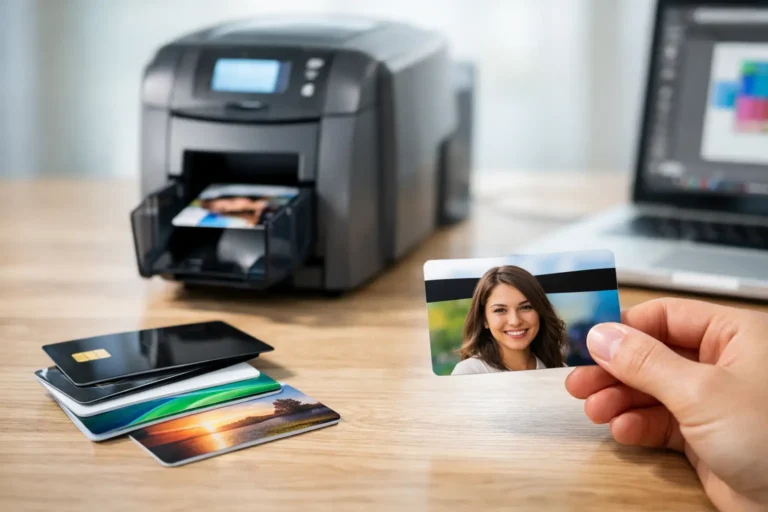
A membership card is often the first physical proof that a customer, patient, donor, or participant belongs to your program. Knowing how to personalize plastic membership cards means looking beyond adding a name to a template. The card must carry the right data, support the intended member journey, reflect your brand accurately, and arrive on time without creating a manual workload for your team.
For organizations managing recurring enrolment, renewals, or large member databases, personalization is an operational process. Strong results come from aligning design, data, production, quality control, and delivery before the first card enters production.
How to personalize plastic membership cards at scale
Personalization starts by defining what the card needs to accomplish. A fitness club may need a member name, photo, barcode, and access-control number. An association may prioritize membership tier, expiry date, and a QR code leading to benefits information. A healthcare or insurance program may require member and dependent details, group numbers, and carefully controlled variable data.
This decision affects the card layout, encoding method, production equipment, and fulfilment workflow. It also determines how much space is available for branding. When every field is treated as equally important, the finished card can become crowded and difficult to use. Put the information staff or members need most at the centre of the design, then support it with secondary details in a clear hierarchy.
Separate fixed branding from variable member data
Fixed elements appear on every card: logos, colours, program names, terms, security backgrounds, and contact information. Variable elements change from person to person, such as names, member IDs, renewal dates, photos, barcodes, or personalized messages.
Separating these two categories early prevents design and data problems later. Your designer can protect clear zones for variable fields, while your operations team can confirm that each field has a reliable source in the member database. It also makes future updates easier. If a phone number changes or a program is rebranded, the fixed artwork can be revised without changing the underlying data structure.
Use legible type sizes and sufficient contrast, particularly for member numbers and expiry dates. A premium-looking card that cannot be read at a front desk or scanned quickly creates friction for everyone involved. If the membership number is long, consider whether a barcode, QR code, or encoded technology can carry the full value while the printed card displays a shorter reference number.
Choose card features based on the member experience
Standard PVC remains a practical choice for many membership programs because it is durable, familiar, and compatible with common card readers. Material selection should still reflect expected use. Cards used daily in a wallet, at a gym entrance, or outdoors need finishes that resist wear. Programs with environmental goals may also evaluate alternative materials, but compatibility, availability, and durability should be considered alongside sustainability claims.
Personalization technology should be driven by how the card will be used. Barcodes are economical and effective for point-of-sale or member lookup. QR codes can connect members to digital benefits, registration pages, or account tools, although they depend on a smartphone and a well-managed destination. Magnetic stripes may suit legacy systems, while smart chips or NFC can support more sophisticated access or authentication requirements.
There is no benefit in adding a technology feature simply because it is available. More complex cards can increase unit cost, production steps, testing requirements, and replacement costs. Select the method that fits your current systems and leaves room for the program to grow.
Build a dependable data personalization workflow
The quality of a personalized card is only as strong as the data behind it. Before production, establish a data file specification that identifies every required field, accepted formats, field lengths, permitted characters, and rules for blank or invalid values. This is especially valuable when data comes from multiple locations, business units, or registration platforms.
A typical record may include a unique member identifier, first and last name, mailing address, membership level, effective date, expiry date, and card package selection. Regulated programs may need additional fields, but only collect and print information that has a clear operational purpose. Limiting unnecessary personal data reduces risk and keeps the card easier to read.
Data validation should happen before the file reaches the production floor. Check for duplicate member IDs, missing mandatory fields, invalid postal codes, inconsistent date formats, and characters that may not print correctly. Also establish rules for exceptions. For example, decide whether a missing apartment number stops a record, triggers an address review, or allows a card to be sent to a branch for pickup.
For privacy-sensitive programs, data compliance must be built into the workflow rather than reviewed at the end. Use controlled file transfer, restricted access, documented handling procedures, and secure disposal practices for production files and spoiled cards. Canadian organizations should consider their privacy obligations, including applicable federal and provincial requirements, while organizations serving the United States may need to account for state, industry, or contractual requirements. The right process depends on the data involved and the jurisdictions your program serves.
Proof the design and the data together
An artwork proof confirms that the card looks correct. A data proof confirms that each variable field populates correctly. You need both.
Request representative test records that include common situations and edge cases: long names, short names, hyphens, apostrophes, multiple membership tiers, various expiry dates, and records with optional fields left blank. If cards use barcodes, magnetic stripes, chips, or NFC, test the encoded information against the actual readers and software used in the field.
This step is where operational teams avoid expensive reprints. A barcode that scans but points to the wrong field, a date that prints in an unfamiliar format, or a name that overruns the design may seem minor in a proofing stage. Across thousands of cards, those issues become service calls, member confusion, and replacement costs.
Plan production, packaging, and delivery as one program
A personalized card rarely travels alone. It may be inserted into a welcome letter, paired with benefit materials, packed with a key tag, matched to a carrier, or distributed to local offices. Planning these components together reduces handoffs and helps ensure that each member receives the correct package.
For direct-to-member programs, intelligent matching is essential. The card, carrier, letter, and envelope must remain associated with the right record throughout production. Document matching rules, sequence requirements, insert logic, and reconciliation expectations before a job launches. This is particularly important when households receive multiple cards or when primary members and dependents require different materials.
A centralized provider can simplify this work by managing print, card personalization, kitting, mail preparation, and digital distribution within one controlled workflow. MixtoMart supports organizations that need to reduce vendor complexity while maintaining production accuracy, data compliance, and speed to market.
Delivery strategy also affects the card design. If cards are mailed, select packaging that protects them from bending and makes the recipient recognize the envelope as legitimate. If they are distributed through branches, dealerships, clinics, or events, use clear batch labels and inventory controls. If digital credentials are offered alongside physical cards, make the two experiences consistent so members understand which credential to use and when.
Measure what happens after cards are issued
Personalization does not end at mail drop. Track returned mail, undeliverable records, replacement requests, activation rates, scan failures, and calls related to card access. These signals reveal whether the issue is data quality, card design, delivery, system integration, or member communication.
Replacement patterns are especially useful. A high volume of damaged cards may justify a different finish or packaging method. Frequent requests for updated names or addresses may indicate that the member portal needs improvement. A large number of cards returned as undeliverable can point to stale address data and an opportunity to add address hygiene earlier in the process.
For recurring programs, create a renewal calendar that accounts for data cut-off dates, proof approvals, production capacity, postal delivery windows, and contingency time. Last-minute changes are sometimes unavoidable, but a defined schedule protects both service levels and budget control.
The most effective membership cards feel simple to the person carrying them because the complexity has been managed behind the scenes. Start with a clear use case, maintain disciplined data controls, test every personalized element, and design fulfilment around the way your members actually receive and use their cards. That approach keeps each card useful, credible, and ready to support the relationship it represents.